In modern digital commerce, trust is your most valuable currency. When an online shopper enters their 16-digit credit card number, CVV code, or UPI credentials into your checkout form, they are placing total faith in your technical infrastructure. If that sensitive data is intercepted, stolen, or compromised, the financial and reputational fallout is swift and devastating.
According to global cybersecurity intelligence reports, e-commerce stores are attacked over 32,000 times every single day. The threat is no longer limited to clumsy brute-force attacks; today’s cyber syndicates deploy sophisticated Magecart digital skimming scripts, automated card-testing botnets, and insidious API webhook spoofing attacks designed to siphon customer payment data silently in real-time.
Many WooCommerce store owners operate under a dangerous misconception: “I use Stripe and Razorpay, so security is 100% their problem.” While reputable payment gateways securely process card transactions, your web hosting environment and checkout page code remain your legal responsibility. If a compromised plugin injects malicious JavaScript into your checkout form, customer payment details are stolen before they ever reach Stripe.
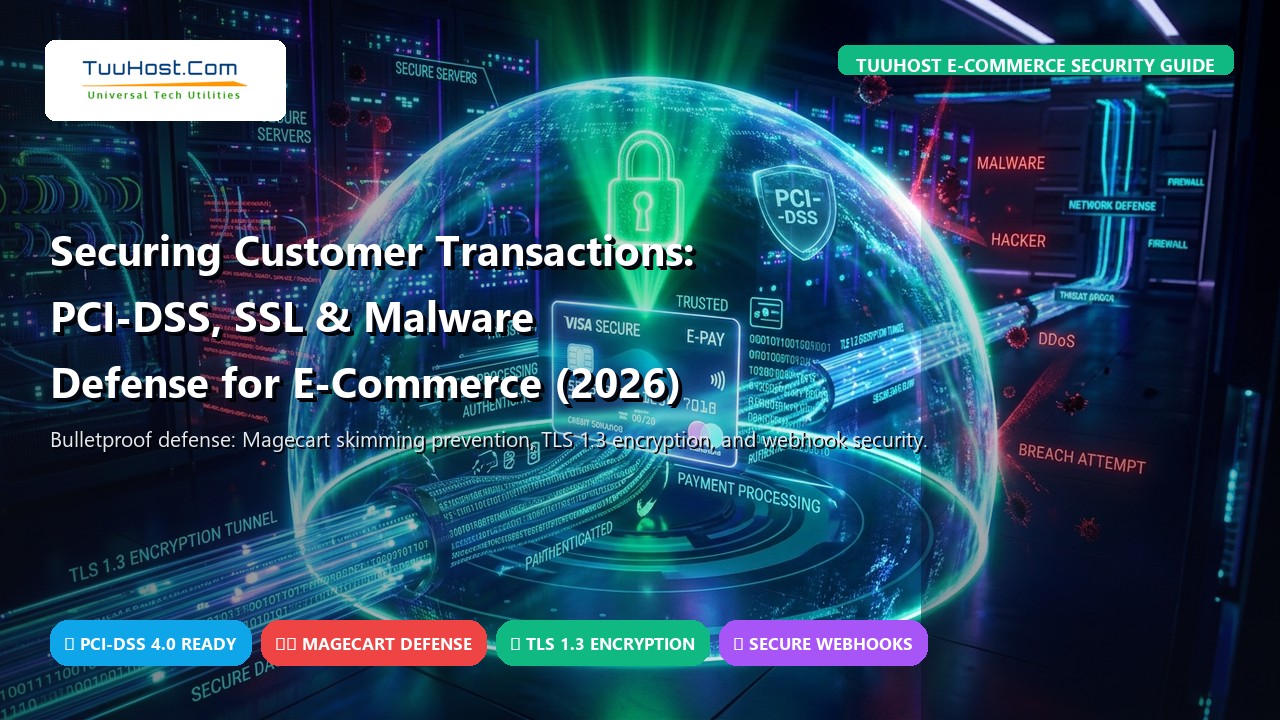
In this comprehensive 2026 security guide, we break down everything online merchants need to know to bulletproof customer transactions: navigating the newly enforced PCI-DSS 4.0 mandates, configuring enterprise TLS 1.3 encryption, neutralizing client-side digital skimming, and hardening payment webhooks against malicious manipulation.
📋 Table of Contents
- 1. PCI-DSS 4.0 Demystified for WooCommerce Store Owners
- 2. Encryption in Transit: Modern TLS 1.3, HSTS & Cipher Hardening
- 3. Neutralizing Digital Skimming & Magecart Attacks
- 4. Server-Tier Malware Defense & Kernel-Level Isolation
- 5. Hardening Payment Gateways & Webhook Signature Verification
- 6. Mitigating Automated Bot Card-Testing Attacks
- 7. 10-Point E-Commerce Security Audit Checklist
- 8. Vulnerable Budget Hosting vs. TuuHost Fortified E-Commerce Cloud
- 9. Frequently Asked Questions (FAQ)
- 10. Final Verdict: Building an Uncompromised Store in 2026
1. PCI-DSS 4.0 Demystified for WooCommerce Store Owners
The Payment Card Industry Data Security Standard (PCI-DSS) is a globally mandated security benchmark established by major card brands (Visa, Mastercard, American Express, Discover). If your website accepts credit or debit card payments in any form, compliance is a non-negotiable legal requirement.
Understanding Your Compliance Scope: SAQ A vs. SAQ A-EP
Most small and mid-sized e-commerce merchants qualify for one of two Self-Assessment Questionnaire (SAQ) levels:
- SAQ A (Hosted Fields / Redirects): If your store uses hosted payment iframes (such as Stripe Elements or Razorpay Standard Checkout) where card data is captured within a secure iframe hosted directly by the payment processor, card data never touches your web server. This is the simplest, most secure configuration.
- SAQ A-EP (Direct API Integration): If you capture card numbers in custom form fields on your site and transmit them via background AJAX API calls to your processor, you fall under SAQ A-EP. This exponentially expands your compliance requirements, mandating quarterly external vulnerability scans and rigorous server audits.
Under the newly enforced PCI-DSS 4.0 standard, Requirements 6.4.3 and 11.6.1 introduce strict client-side script governance. Merchants are now explicitly required to maintain an active inventory of every JavaScript file running on payment pages, mathematically verify script integrity, and deploy automated tampering detection to ensure unauthorized third-party trackers or scripts have not been injected into the checkout workflow.
The Golden Rule of Card Data
Under no circumstances should your WordPress database, error logs, or server backups ever store raw Primary Account Numbers (PAN), CVV/CVC verification codes, or card PIN numbers. Reputable WooCommerce gateways use tokenization: the customer’s card is replaced with an encrypted alphanumeric token (e.g., tok_1N2e3f4g5...) that is completely useless to an attacker even if your database is breached.
2. Encryption in Transit: Modern TLS 1.3, HSTS & Cipher Hardening
Transport Layer Security (TLS) is the cryptographic protocol that encrypts all communication between your customer’s web browser and your server. In an e-commerce environment, basic SSL is not enough—your server must enforce modern cryptographic ciphers and eliminate legacy vulnerabilities.
Why TLS 1.3 is Essential for Modern E-Commerce
Outdated protocols (SSLv3, TLS 1.0, and TLS 1.1) contain critical mathematical vulnerabilities (such as POODLE and BEAST) and are explicitly prohibited under PCI-DSS standards. High-performance e-commerce servers utilize TLS 1.3, which delivers two critical benefits:
- Elimination of Weak Ciphers: TLS 1.3 strips out vulnerable legacy algorithms (such as RC4, 3DES, and static RSA key exchange), mandating Authenticated Encryption with Associated Data (AEAD) ciphers like ChaCha20-Poly1305 and AES-GCM.
- Sub-Second Handshake (0-RTT): Previous encryption handshakes required two full network round-trips before data transfer could begin. TLS 1.3 executes the handshake in a single round-trip, shaving 80ms to 150ms off initial page rendering and accelerating mobile checkout conversion rates.
Enforcing HSTS (HTTP Strict Transport Security)
Even if your site has an SSL certificate, an attacker on a public Wi-Fi network can perform an “SSL-Stripping” attack, downgrading customer connections to unencrypted HTTP. To permanently prevent this, add the following directive to your server’s .htaccess file:
<IfModule mod_headers.c>
Header always set Strict-Transport-Security “max-age=31536000; includeSubDomains; preload”
Header always set X-Content-Type-Options “nosniff”
Header always set X-Frame-Options “SAMEORIGIN”
Header always set X-XSS-Protection “1; mode=block”
</IfModule>
3. Neutralizing Digital Skimming & Magecart Attacks
The single most pervasive threat targeting WooCommerce stores today is Magecart (also known as e-skimming). In a Magecart attack, hackers compromise an outdated plugin, an abandoned theme asset, or a third-party advertising script to inject obfuscated JavaScript into your checkout page.
As the customer types their credit card number, expiration date, and billing address into the form, the malicious script quietly captures every keystroke and dispatches the data to an offshore server in the background. Because the payment gateway continues processing the transaction normally, neither the merchant nor the customer realizes a theft has occurred until weeks later when fraudulent charges appear.
How to Defend Your Store Against Magecart
1. Implement a Strict Content Security Policy (CSP)
A Content Security Policy restricts which external domains are permitted to execute scripts and send data from your customer’s browser. By declaring that scripts may only communicate with your domain, Stripe (api.stripe.com), and verified analytics providers, unauthorized skimmer domains are blocked by the browser automatically.
2. Enforce Subresource Integrity (SRI)
When loading JavaScript from external Content Delivery Networks (CDNs), always include an SRI cryptographic hash (e.g., integrity="sha384-..."). If the CDN file is compromised or modified by an attacker, the browser refuses to execute the script.
3. Deploy File Integrity Monitoring (FIM)
FIM software scans core WordPress files, themes, and plugins against known cryptographic hashes. The moment a rogue PHP file is created or a checkout template is modified, system administrators receive an immediate alert.
4. Server-Tier Malware Defense & Kernel-Level Isolation
While standard WordPress plugins like Wordfence and Sucuri provide useful application-level logging, they operate inside PHP. If a zero-day vulnerability allows an attacker to execute code directly, they can disable WordPress security plugins from within the file system.
True defense-in-depth requires server-tier kernel isolation:
- CloudLinux CageFS Virtualization: Each hosting tenant on TuuHost is encapsulated within an isolated virtual container. Even if another user on the physical server experiences a security breach, they cannot view, modify, or interact with your file system or database.
- Imunify360 AI Behavioral Engine: Monitors running PHP processes in real-time. If an unknown script attempts to execute arbitrary shell commands, open outbound socket connections to foreign IPs, or modify payment files, Imunify360 suspends and quarantines the process in milliseconds.
- LiteSpeed Web Application Firewall (WAF): Enterprise ModSecurity rules analyze incoming HTTP traffic before it reaches PHP, blocking SQL injections, remote code execution (RCE), and cross-site scripting (XSS) at the web server gate.
5. Hardening Payment Gateways & Webhook Signature Verification
Modern e-commerce transactions rely on Webhooks. When a customer completes payment on Stripe, Razorpay, or PayPal, the processor dispatches an automated asynchronous HTTP POST request to your website (e.g., https://yourstore.com/?wc-api=wc_stripe) confirming that funds have been captured and orders should be fulfilled.
The Threat: Webhook Spoofing
If webhooks are improperly secured, an attacker can send simulated “Payment Successful” payloads directly to your webhook URL, tricking WooCommerce into marking high-value orders as “Completed” and dispatching goods without ever charging a credit card!
Always configure Webhook Signing Secrets inside your payment gateway settings. Every incoming notification includes a cryptographic signature in the header (e.g., Stripe-Signature) calculated using an HMAC-SHA256 secret key shared only between your store and the processor. WooCommerce verifies this signature mathematically before updating any order status, completely thwarting spoofing attacks.
6. Mitigating Automated Bot Card-Testing Attacks
A “carding attack” occurs when cybercriminals acquire databases of stolen credit card numbers and use automated scripts to test thousands of cards against your WooCommerce checkout form to see which ones are active.
Even if the cards decline, carding attacks inflict catastrophic damage on merchants:
- Payment gateways charge \$0.15 to \$0.30 per declined authorization attempt, generating thousands of dollars in surprise gateway fees overnight.
- High decline ratios trigger merchant fraud alerts, resulting in immediate account suspension by Visa or Mastercard.
- Massive server load spikes exhaust PHP workers and bring your storefront offline.
How to Stop Carding Bots Instantly
- Implement Cloudflare Turnstile or reCAPTCHA v3 on Checkout: Invisible CAPTCHA challenges analyze user behavioral telemetry, blocking automated headless scripts without creating friction for legitimate human buyers.
- Enforce Rate Limiting on /checkout/: Limit the number of failed checkout attempts allowed from a single IP address to 3 attempts per 10 minutes.
- Require Account Registration for First-Time Orders: Requiring email verification stops 99% of automated card-testing scripts in their tracks.
7. 10-Point E-Commerce Security Audit Checklist
Audit your online store against this essential 10-point production checklist:
- Enforce 2FA for All Staff: Require Two-Factor Authentication for all Administrator, Shop Manager, and Editor roles.
- Disable Theme and Plugin File Editing: Add
define('DISALLOW_FILE_EDIT', true);towp-config.phpto prevent compromised admins from injecting back doors. - Lock Down wp-config.php Permissions: Set file permissions for
wp-config.phpto600or640so other system users cannot read database credentials. - Verify Webhook Signing Secrets: Ensure Stripe, Razorpay, or PayPal webhook endpoints have active, verified signing secrets configured.
- Audit Active Plugins Quarterly: Deactivate and delete any abandoned plugins that have not received an update in the past 6 months.
- Deploy Automated Daily Offsite Backups: Ensure database and file snapshots are stored in an independent off-site cloud vault (such as TuuHost JetBackup).
- Eliminate the Default “admin” Username: Use unique administrative handles and standard user accounts for routine catalog updates.
- Enforce Strong Database Passwords: Ensure your MySQL database user password is at least 24 characters of high-entropy alphanumeric text.
- Enable XML-RPC Blocking: Block
xmlrpc.phpto prevent brute-force amplification attacks against administrative accounts. - Monitor Google Search Console Security Alerts: Regularly inspect the “Security & Manual Actions” tab in Google Search Console to detect early malware warnings.
8. Vulnerable Budget Hosting vs. TuuHost Fortified E-Commerce Cloud
| Security Dimension | Generic Budget Host | TuuHost Fortified Cloud |
|---|---|---|
| PCI-DSS Server Readiness | Fails automated ASV scans due to outdated ciphers | 100% Pre-Hardened for PCI-DSS 4.0 Compliance |
| SSL / TLS Encryption | Paid add-on or legacy TLS 1.2 | Free Lifetime AutoSSL (TLS 1.3 Pre-Configured) |
| Malware & Skimmer Defense | None / Suspends site and charges $250 cleanup fee | Real-Time Imunify360 AI Quarantine & Cleanup |
| Tenant Isolation | Shared permissions (cross-tenant infection risk) | CloudLinux CageFS Virtual Containerization |
| Disaster Recovery Backups | Weekly / Stored on same local drive | Automated Daily Snapshots to Encrypted Offsite Vaults |
9. Frequently Asked Questions (FAQ)
Do I need to be PCI-DSS compliant if I only use Stripe or Razorpay?
Yes. While Stripe and Razorpay securely store card data, your website hosts the code that renders the payment form. You must still complete an annual Self-Assessment Questionnaire (typically SAQ A) and ensure your server enforces TLS encryption and script integrity.
Can a hacker steal customer card details directly from my database?
Not if you use modern tokenized payment gateways. Modern gateways never store raw credit card numbers or CVVs in your WordPress database. The real vulnerability is client-side Magecart skimmers that capture data as it is typed into form fields before submission.
What is a Magecart attack and how can I detect it?
A Magecart attack occurs when malicious JavaScript is injected into your checkout page to steal keystrokes. You can detect digital skimmers by deploying Content Security Policies, conducting regular file integrity scans, and monitoring network requests on `/checkout/` in browser developer tools.
How does TuuHost help my store maintain PCI-DSS compliance?
TuuHost provides pre-hardened LiteSpeed servers configured with TLS 1.3, strict cipher suites, CloudLinux CageFS tenant isolation, Imunify360 real-time malware protection, and automated daily offsite backups—ensuring your store easily passes external PCI vulnerability scans.
10. Final Verdict: Building an Uncompromised Store in 2026
E-commerce security is not an afterthought or an inconvenience—it is the structural foundation of your brand’s longevity. By enforcing TLS 1.3 encryption, securing your payment webhooks, shielding your checkout page with a robust Content Security Policy, and anchoring your site on fortified enterprise hosting, you protect your revenue and provide customers with the confidence they need to complete transactions.
Build a Fortified, PCI-Ready Store with TuuHost
Every TuuHost hosting plan includes pre-configured TLS 1.3 AutoSSL, Imunify360 real-time malware defense, CloudLinux CageFS isolation, and automated offsite daily backups. Let our security specialists migrate your store with zero downtime today.