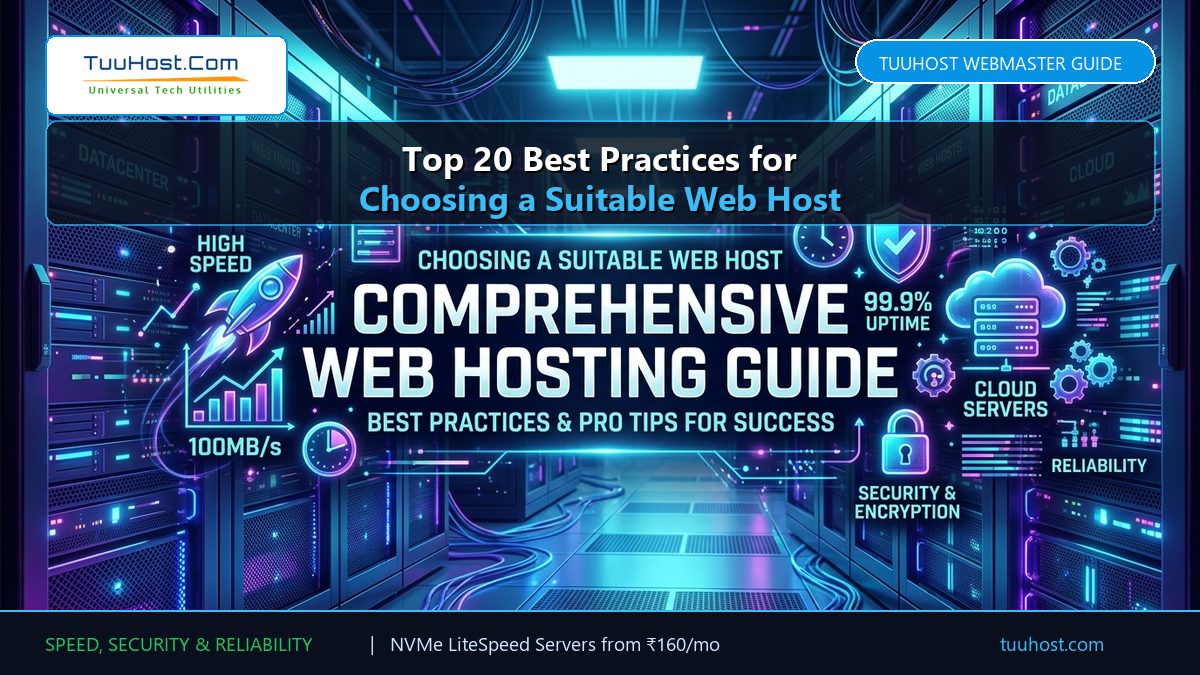
Whether you are launching your very first website or seeking a high-performance alternative to an underperforming, overpriced host, selecting the right web hosting infrastructure is one of the most critical business decisions you will make. Your web host directly dictates your website load speeds, Core Web Vitals compliance, search engine rankings, checkout stability, and ultimate digital revenue.
To help webmasters, developers, small business owners, and e-commerce entrepreneurs make an informed choice, we have comprehensively expanded the top 20 best practices for choosing a suitable web host in 2026. Follow these proven technical benchmarks and purchasing strategies to guarantee lightning-fast performance, zero surprise renewal hikes, and rock-solid uptime.
📋 Table of Contents: 20 Web Hosting Best Practices
- 1. Consider Bandwidth and Disk Storage Requirements (SSD vs NVMe)
- 2. Never Let Price Be the Sole Deciding Factor (Avoid 300% Renewal Traps)
- 3. Ensure Sufficient Room for Growth and Seamless Scalability
- 4. Verify CMS, Software, and 1-Click Script Installer Compatibility
- 5. Require Robust Support for Background Tasks and System Cron Jobs
- 6. Verify Traffic Spike Handling for Festive Sales and Ad Campaigns
- 7. Check PHP Execution Speed and Modern PHP Version Support (8.1+)
- 8. Evaluate Server-Level Image Optimization and Next-Gen WebP Delivery
- 9. Demand High-Deliverability Domain Email and SPF/DKIM/DMARC Setup
- 10. Confirm Number of Domains and Addon Domain Flexibility
- 11. Plan Video Hosting Strategies (Embedded vs HTTP/3 Range Requests)
- 12. Ensure E-Commerce Readiness, SSL Encryption, and PCI Compliance
- 13. Optimize Shopping Cart Performance and Dynamic Page Caching
- 14. Assess Support Desk and Ticket Center Integration Readiness
- 15. Review Community Forum and High-Concurrency Concurrency Demands
- 16. Scrutinize Directory and High-Index Database Query Performance
- 17. Understand Shared vs Semi-Dedicated vs Managed VPS Architecture
- 18. Insist on Complimentary Daily Backups and Rapid Snapshot Restores
- 19. Test Omnichannel 24/7 Technical Support and Real Human Reachability
- 20. Audit Server Modernity: LiteSpeed, HTTP/3, and DDoS Defense
- 📊 Comparison: Legacy Apache Hosts vs TuuHost LiteSpeed
- ❓ Frequently Asked Questions (FAQ)
1. Consider Bandwidth and Disk Storage Requirements (SSD vs NVMe)
Never judge storage purely on gigabytes—the underlying drive architecture dictates your real-world load speed. Traditional spinning hard disks (HDD) and entry-level SATA SSDs suffer from high read/write latency. In modern web hosting, pure NVMe (Non-Volatile Memory Express) SSD arrays deliver up to 5x higher IOPS (Input/Output Operations Per Second), ensuring instantaneous database queries and asset delivery.
Furthermore, calculate your bandwidth consumption carefully: multiply your estimated monthly visitors by your average page size (e.g., 50,000 visitors × 2 MB per page = 100 GB monthly bandwidth minimum). Beware of hosts advertising “unlimited bandwidth”—most impose strict inode counts and hidden I/O bandwidth caps that throttle your website during traffic surges.
2. Never Let Price Be the Sole Deciding Factor (Avoid 300% Renewal Traps)
The old adage holds true: “You get what you pay for.” Cheap web hosts commonly lure buyers with introductory pricing as low as ₹49 or $1.99 per month, only to lock them in and renew at shocking 300% to 500% rate increases a year later. Worse, budget providers compromise on server density, squeezing thousands of domains onto obsolete hardware.
Instead, choose a hosting partner with transparent pricing and fair renewals. At TuuHost, high-speed LiteSpeed SSD hosting starts at a flat ₹160/month with zero renewal shocks, providing enterprise-grade performance and predictable operational costs.
3. Ensure Sufficient Room for Growth and Seamless Scalability
Your web hosting should scale effortlessly alongside your business. A platform that meets your needs at 1,000 monthly pageviews might buckle when your store hits 100,000 visits. Inquire whether your provider offers seamless vertical scaling from entry-level Shared Hosting to high-memory LiteSpeed Pro tiers and dedicated Managed Cloud VPS servers.
The best hosting setups allow 1-click resource adjustments without requiring painful site migrations, DNS reconfigurations, or scheduled downtime.
4. Verify CMS, Software, and 1-Click Script Installer Compatibility
Whether you plan to build with WordPress, WooCommerce, Joomla, Drupal, Magento, or custom Laravel applications, your hosting control panel must make deployment frictionless. Leading web hosts provide cPanel with Softaculous 1-Click Script Installers encompassing over 250+ pre-configured software packages.
Ensure that the hosting environment supports current database engines such as MariaDB 10.6+ and MySQL 8.0 with InnoDB optimization, ensuring optimal catalog performance and hassle-free updates.
5. Require Robust Support for Background Tasks and System Cron Jobs
Modern web applications rely heavily on automated background processes: publishing scheduled blog posts, processing abandoned shopping carts, generating PDF invoices, syncing inventory feeds, and running database maintenance. Relying on default WordPress pseudo-crons (WP-Cron) slows down page loads and fails whenever site traffic is inconsistent.
Verify that your host allows you to set up true Linux crons via cPanel at custom intervals (e.g., every 5 or 15 minutes) with sufficient execution timeouts to ensure background jobs finish reliably.
Disable default WP-Cron in wp-config.php using define('DISABLE_WP_CRON', true); and replace it with a native cPanel cron executing wget -q -O - https://yourdomain.com/wp-cron.php?doing_wp_cron >/dev/null 2>&1. This removes background overhead from your visitors’ page requests!
6. Verify Traffic Spike Handling for Festive Sales and Ad Campaigns
If you plan to run flash sales, seasonal holiday campaigns (Diwali, Black Friday, Cyber Week), or paid ad campaigns, a sudden traffic spike can take down an unoptimized server. Traditional Apache web servers create a new worker process for every incoming connection, rapidly exhausting server memory.
In contrast, LiteSpeed Enterprise Web Server utilizes an event-driven architecture that serves thousands of concurrent connections with minuscule memory and CPU usage. Combined with LiteSpeed Cache (LSCache), static pages and product listings load directly from memory without triggering heavy PHP executions.
7. Check PHP Execution Speed and Modern PHP Version Support (8.1+)
PHP powers over 75% of the web. Running obsolete versions like PHP 7.4 exposes your site to known security vulnerabilities and significantly degrades performance. Ensure your host offers multi-PHP selectors in cPanel, allowing you to run PHP 8.1, 8.2, and 8.3 with the latest security patches.
Furthermore, ensure the host utilizes LiteSpeed SAPI (LSAPI) rather than generic mod_php or slow CGI handlers. LSAPI accelerates PHP processing by up to 50% while supporting substantial memory allocations (e.g., 256MB to 512MB memory_limit) needed by visual page builders like Elementor.
8. Evaluate Server-Level Image Optimization and Next-Gen WebP Delivery
Uncompressed hero banners and sprawling product image galleries are the primary culprits behind sluggish Largest Contentful Paint (LCP) scores. Instead of relying on expensive third-party image compression subscriptions, check whether your hosting environment supports native server-level image optimization.
TuuHost’s LiteSpeed infrastructure pairs with the free LSCache engine to automatically convert PNG and JPEG uploads into next-generation WebP formats and serve them with zero server overhead.
9. Demand High-Deliverability Domain Email and SPF/DKIM/DMARC Setup
Nothing harms a business reputation faster than professional order confirmations and customer inquiries landing in the spam folder. When evaluating a web host, check their mail server reputation, outbound IP reputation policies, and cPanel Email Deliverability tools.
Your web host should provide 1-click automatic configuration of SPF (Sender Policy Framework), DKIM (DomainKeys Identified Mail), and DMARC records to ensure that emails sent from yourname@yourdomain.com reach client inboxes reliably.
10. Confirm Number of Domains and Addon Domain Flexibility
Entrepreneurs and web design agencies often manage more than one web property. Budget hosting plans frequently restrict you to a single domain, requiring you to purchase an entirely new hosting plan for every side project or microsite.
Look for hosting plans that include multi-domain or unlimited addon domain support under a unified cPanel dashboard. This allows you to host staging environments, landing pages, and sister company sites cost-effectively within a single account.
11. Plan Video Hosting Strategies (Embedded vs HTTP/3 Range Requests)
Hosting large 4K video files directly on a shared hosting account is a recipe for high server load and rapid bandwidth exhaustion. High-traffic video content should ideally be embedded via dedicated video platforms (such as YouTube, Vimeo, or Bunndle CDN).
However, if your site requires self-hosted looping background videos or short product previews, ensure your host supports HTTP/3 and QUIC byte-range requests. This allows visitors to stream video slices progressively without forcing the server to buffer the entire video into memory.
12. Ensure E-Commerce Readiness, SSL Encryption, and PCI Compliance
If your website sells physical products, digital downloads, or service retainers, server security is non-negotiable. Your host must provide automated, free SSL certificates (Let’s Encrypt / AutoSSL) that renew seamlessly so your padlock icon never expires.
In addition, the server environment must adhere to modern PCI-DSS standards with TLS 1.3 protocol support, encrypted storage, and hardened firewall policies that protect payment processing gateways from MITM (Man-in-the-Middle) exploits.
13. Optimize Shopping Cart Performance and Dynamic Page Caching
Standard website caching models break down on e-commerce sites: if a customer’s shopping cart or account dashboard gets cached, other shoppers will see their private data. Incompetent hosts often disable caching completely for e-commerce sites, resulting in agonizingly slow 3-second page loads.
Modern LiteSpeed e-commerce hosting solves this with smart ESI (Edge Side Includes) caching: catalog pages, reviews, and product galleries load in under 200ms from cache, while dynamic cart fragments (e.g. /cart, /checkout) update instantly without caching conflicts.
14. Assess Support Desk and Ticket Center Integration Readiness
Running a customer support desk (such as osTicket, HelpSpot, or WordPress customer support suites) places unique demands on MySQL databases and PHP worker processes. Inbound customer tickets create concurrent database writes, email notifications, and file attachment uploads.
Ensure your web host provides high database connection limits (max_connections) and ample PHP max input variables (max_input_vars >= 3000) to prevent ticket drops and administrative timeouts.
15. Review Community Forum and High-Concurrency Demands
Community platforms like phpBB, XenForo, vBulletin, or Discourse generate heavy, continuous read/write cycles as members post replies, send direct messages, and vote on polls. A hosting platform optimized only for static blogs will quickly freeze under forum traffic.
Look for web hosts offering Redis or Memcached object caching. Object caching keeps persistent database query results stored directly in RAM, slashing database response times during heated forum discussions.
16. Scrutinize Directory and High-Index Database Query Performance
Directory and listing portals (such as real estate listings, local business directories, and job boards) maintain massive database tables with complex faceted filter queries (price, location, category). Poorly configured MySQL servers will choke when indexing thousands of records.
Verify that your hosting provider uses enterprise NVMe SSD storage and tunes MariaDB thread pools to handle complex index lookups without server-side lag.
17. Understand Shared vs Semi-Dedicated vs Managed VPS Architecture
In standard shared hosting, multiple websites share a single server’s CPU, RAM, and network pipe. Without proper containment, a single rogue neighbor site consuming excessive memory can degrade performance for everyone else on the machine.
Quality web hosts implement CloudLinux OS LVE (Lightweight Virtual Environment) to guarantee dedicated CPU cores and RAM allotments to each cPanel account. And when your monthly traffic surpasses 100,000 visitors, graduating to a TuuHost Managed VPS provides 100% dedicated hardware resources and custom server configurations.
18. Insist on Complimentary Daily Backups and Rapid Snapshot Restores
Hardware failures, botched plugin updates, malware injections, or accidental file deletions happen. Shady web hosts treat backups as an expensive paid upsell, leaving site owners stranded when disaster strikes.
Demand a host that includes automated daily off-site backups as standard. TuuHost includes automated snapshot backups with intuitive 1-click self-service restores directly inside cPanel, letting you restore your complete database or individual files in seconds.
19. Test Omnichannel 24/7 Technical Support and Real Human Reachability
When your website goes down at 2:00 AM on a Sunday, you cannot afford to wait 18 hours for an automated bot to send an unhelpful canned reply. Real technical support is the hallmark of an exceptional web host.
Look for providers offering true 24/7 human technical support via direct telephone (+91-908-254-7251), responsive ticket desks, and email. At TuuHost, you communicate directly with seasoned Linux server engineers who diagnose and resolve issues promptly.
20. Audit Server Modernity: LiteSpeed, HTTP/3, and DDoS Defense
Finally, inspect the host’s actual server technology stack. Are they running modern 64-bit Linux kernels with the next-generation HTTP/3 (QUIC) protocol, automated hardware-level DDoS mitigation, and LiteSpeed Enterprise Web Servers? Or are they still operating unpatched Apache 2.4 servers with outdated SSL configurations?
Modern protocols reduce latency over unstable mobile connections, while automated DDoS shields absorb brute-force attacks before they reach your web applications.
📊 Comparison: Legacy Apache Hosts vs TuuHost LiteSpeed Infrastructure
| Evaluation Criteria | Standard Legacy Shared Host | TuuHost LiteSpeed SSD Cloud |
|---|---|---|
| Web Server Engine | Apache / Nginx Reverse Proxy | LiteSpeed Enterprise (Up to 5x faster) |
| Storage Architecture | Standard SATA SSD or Mechanical HDD | Ultra-Fast Enterprise NVMe SSD Arrays |
| Protocol Support | HTTP/1.1 or HTTP/2 | HTTP/3 & QUIC Protocol Enabled |
| Pricing Transparency | Teaser rates with 300% renewal hikes | Starts at ₹160/mo with transparent renewals |
| Automated Backups | Paid add-on (₹1,500+/year) | Free Automated Daily Backups + 1-Click Restore |
| Human Customer Support | Automated AI bots and slow ticket queues | 24/7 Phone (+91-908-254-7251) & Senior Engineers |
❓ Frequently Asked Questions (FAQ)
Q: Why is LiteSpeed hosting faster than Apache or standard Nginx?
A: LiteSpeed Enterprise uses an asynchronous event-driven architecture that serves thousands of concurrent requests with minimal RAM and CPU overhead. When combined with the official LSCache plugin, full HTML pages and static assets are cached at the web server layer, completely bypassing slow PHP and database processing for returning visitors.
Q: How do I migrate my website from my current host to TuuHost?
A: TuuHost provides seamless, zero-downtime website migrations. Our technical team can transfer your entire cPanel backup, databases, files, and email accounts for you, or you can use our 1-click migration tools.
Q: Does TuuHost include free SSL certificates and business email?
A: Yes! Every TuuHost shared hosting, reseller, and VPS plan comes with free AutoSSL certificates that install and renew automatically, as well as unlimited professional domain email accounts with built-in spam protection and Webmail access.
Q: What happens when my website outgrows shared hosting?
A: TuuHost offers smooth vertical scaling. You can upgrade with a single click to high-memory LiteSpeed Pro plans or a dedicated Managed Cloud VPS with zero downtime and no complicated server migrations.
Conclusion: Choosing Your Ideal Web Host
Choosing a web host is not merely about finding server space; it is about partnering with a team that safeguards your uptime, protects your brand reputation, and delivers the speed your visitors expect. By auditing these 20 best practices—from NVMe storage and LiteSpeed caching to transparent renewal rates and true 24/7 human technical support—you position your digital presence for long-term growth and success.