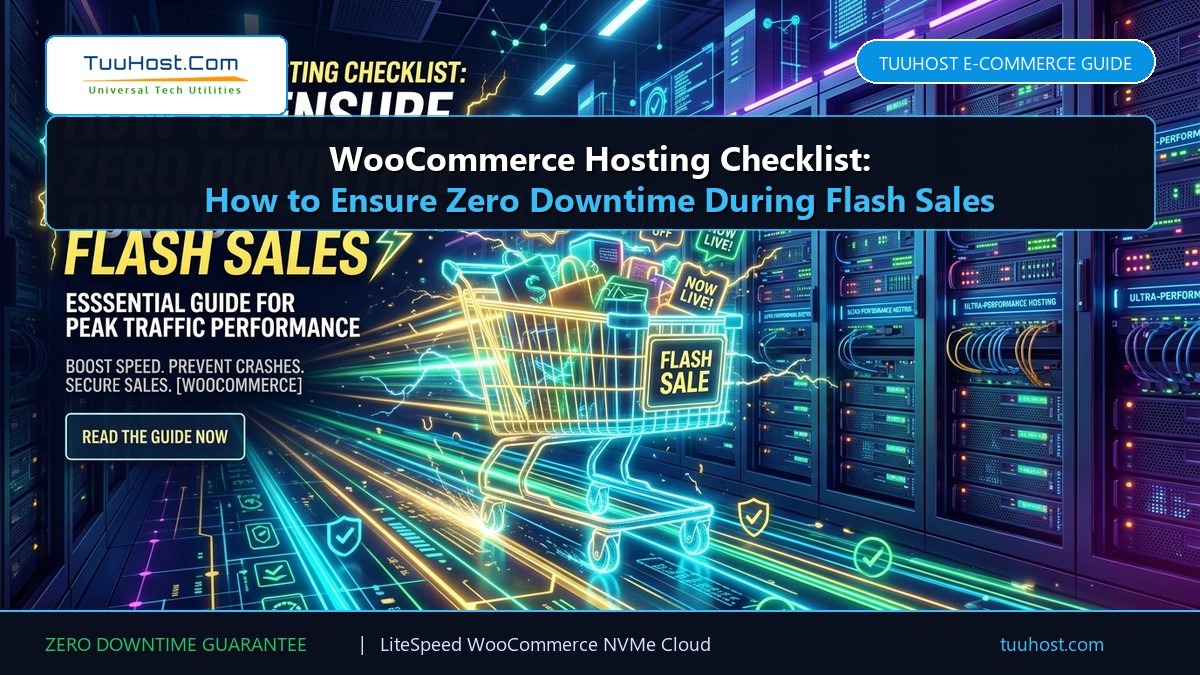
There is nothing more heartbreaking for an e-commerce entrepreneur than spending thousands of dollars on festive marketing, influencer promotions, and paid ad campaigns—only for your online store to crash the second your flash sale goes live. When thousands of eager shoppers rush to add items to their carts simultaneously, standard web hosting servers buckle under the un-cacheable dynamic load, displaying fatal 504 Gateway Timeout and 500 Internal Server errors.
WooCommerce powers millions of dynamic online stores, but unlike static blogs, every cart update, coupon validation, and checkout transaction requires active PHP workers and database queries. In this comprehensive technical checklist, we outline the exact server architecture, caching strategies, and database optimizations needed to guarantee zero downtime and sub-second checkout speeds during your biggest flash sales in 2026.
📋 Table of Contents: WooCommerce Flash Sale Checklist
- 1. Why Standard Hosting Crashes During E-Commerce Flash Sales
- 2. Checklist #1: Implement LiteSpeed Edge Side Includes (ESI) Caching
- 3. Checklist #2: Deploy Redis Object Caching to Eliminate Database Lockups
- 4. Checklist #3: Right-Size PHP Workers and Memory Limits (512MB+)
- 5. Checklist #4: Purge WooCommerce Transients and Autoload Bloat
- 6. Checklist #5: Throttle WordPress Heartbeat API and Ajax Cart Fragments
- 7. Checklist #6: Fortify Payment Gateway Webhooks (Razorpay / Stripe / PayU)
- 8. Checklist #7: Move DNS to Cloudflare and Enable HTTP/3 QUIC
- 9. Checklist #8: Perform Real-World Concurrency Load Testing
- 10. Checklist #9: Create a 1-Click Staging Environment and Pre-Sale Backup
- 11. Comparison: Generic Apache Hosting vs TuuHost WooCommerce Cloud
- 12. Frequently Asked Questions (FAQ)
- 13. Conclusion: Guaranteeing Maximum Revenue and Zero Downtime
1. Why Standard Hosting Crashes During E-Commerce Flash Sales
Standard web hosts rely on traditional full-page caching. For a standard blog post, this works well: the first visitor generates the page, the server caches the static HTML in memory, and subsequent visitors receive the cached file without touching PHP or the database.
However, WooCommerce transactions cannot be treated as static files. The moment a customer adds an item to their cart, sets their shipping pincode, or applies a coupon code, the website must personalize the experience. If a server is misconfigured, dynamic cart requests bypass caching entirely. Under standard Apache or Nginx environments with limited PHP workers (typically 2 to 5 concurrent workers on cheap hosts), 50 simultaneous shoppers adding items to their cart will create an immediate traffic jam, freezing the web server and causing massive customer drop-off.
2. Checklist #1: Implement LiteSpeed Edge Side Includes (ESI) Caching
The secret weapon of high-performance WooCommerce stores is ESI (Edge Side Includes) caching, powered natively by LiteSpeed Enterprise Web Server. Standard caching engines face a binary dilemma: cache the entire page (risking showing one customer’s cart to another) or bypass cache completely (crashing the server).
LiteSpeed ESI breaks the webpage into distinct fragments. Heavy catalog elements—such as product titles, high-resolution photo galleries, descriptions, customer reviews, and navigation menus—are cached at the web server layer and served instantaneously in sub-150ms. Simultaneously, personalized fragments (such as the cart widget counter, customer greeting, and checkout total) are injected dynamically. This reduces server CPU load by over 80% during major sale events.
3. Checklist #2: Deploy Redis Object Caching to Eliminate Database Lockups
During a flash sale, your MySQL/MariaDB database experiences intense read/write contention. When multiple shoppers attempt to purchase the same inventory stock simultaneously, database tables can lock up, creating agonizing latency spikes.
Deploying an in-memory Redis or Memcached Object Cache stores frequent database queries directly in RAM. When a visitor views product availability, category archives, or store settings, Redis serves the result from memory in microseconds without querying the disk. At TuuHost, Redis object caching is easily enabled with one click inside cPanel and pairs seamlessly with the LiteSpeed Cache plugin.
4. Checklist #3: Right-Size PHP Workers and Memory Limits (512MB+)
A single heavy WooCommerce checkout transaction with payment gateway encryption can consume between 120MB and 250MB of RAM. If your hosting plan limits PHP memory to 128M, customers will encounter fatal out-of-memory errors during checkout.
Verify that your hosting environment provides:
memory_limit = 512M(minimum 256M, 512M strongly recommended for stores with 20+ plugins).max_execution_time = 300(prevents gateway webhook timeouts).max_input_vars = 5000(essential for large product variations and multi-attribute catalogs).- Ample dedicated PHP worker allocation via LiteSpeed LSAPI engine.
Disable unnecessary background administrative plugins during your sale weekend! Deactivate visual analytics suites, heatmaps, and broken link checkers on your production store. These plugins run heavy continuous database queries that steal precious CPU cycles from actual paying customers.
5. Checklist #4: Purge WooCommerce Transients and Autoload Bloat
Over time, WooCommerce stores accumulate thousands of expired transients (temporary cached tokens, cart sessions, customer notices) in the wp_options table. If your autoload size exceeds 1.5MB, WordPress must load that massive data array into memory on every single page request.
Before your flash sale goes live, navigate to WooCommerce → Status → Tools and click:
- Clear WooCommerce Transients: Deletes orphaned database sessions.
- Clear Expired Transients: Cleans up obsolete temporary tokens.
- Recount Terms: Synchronizes catalog inventory counts.
6. Checklist #5: Throttle WordPress Heartbeat API and Ajax Cart Fragments
One of the quietest server killers in WooCommerce is default Ajax Cart Fragments (wc-ajax=get_refreshed_fragments). On standard setups, every single page load fires an un-cached Ajax POST request to verify if items were added to the cart, overloading the server even when visitors are merely reading product descriptions.
Use the LiteSpeed Cache plugin or a dedicated script to disable cart fragments on non-shop pages or replace them with lightweight local storage scripts. Additionally, throttle the WordPress Heartbeat API to run once every 60 seconds (instead of every 15 seconds) inside your wp-admin.
7. Checklist #6: Fortify Payment Gateway Webhooks (Razorpay / Stripe / PayU)
When a customer completes their payment via UPI, net banking, or credit card, payment aggregators (such as Razorpay, Stripe, PayU, and Cashfree) send an automated server-to-server webhook notification to update the order status from Pending Payment to Processing.
If your web server is sluggish or returning 503 errors under traffic, these webhooks will time out. Customers will see their bank account debited while your store displays an order failure screen, triggering frantic support inquiries. TuuHost’s NVMe architecture and high PHP concurrency ensure that external payment webhooks process within milliseconds.
8. Checklist #7: Move DNS to Cloudflare and Enable HTTP/3 QUIC
Pairing your TuuHost web hosting with Cloudflare DNS provides an impenetrable first line of defense. Cloudflare absorbs layer-7 DDoS flood attacks and caches static images, CSS, and JS across regional edge datacenters.
Combined with TuuHost’s native HTTP/3 (QUIC) protocol, mobile shoppers on congested 4G and 5G networks enjoy multiplexed, packet-loss-resistant connections with zero dropouts between Wi-Fi and mobile data.
9. Checklist #8: Perform Real-World Concurrency Load Testing
Never assume your store can handle 500 concurrent shoppers without testing it first! Use tools like Loader.io or k6 to run simulated concurrency stress tests against your store. Specifically, test:
- Adding items to cart under concurrent load.
- Loading heavy category filter pages simultaneously.
- Coupons applying at the same instant.
If your server response time climbs past 1.5 seconds during a test of 200 concurrent virtual users, it is time to scale up your CPU and RAM resources before launch day.
10. Checklist #9: Create a 1-Click Staging Environment and Pre-Sale Backup
Never test new promotional discount plugins, banner countdown timers, or theme updates directly on your live production store! TuuHost’s cPanel includes 1-click staging environments that allow you to clone your live store, test coupons and checkout flows, and push changes seamlessly.
Finally, right before the campaign kicks off, take a manual snapshot backup inside cPanel so you have an immediate restore point in case of human error.
📊 Comparison: Generic Apache Hosting vs TuuHost WooCommerce Cloud
| Architectural Requirement | Generic Apache / PHP-FPM Host | TuuHost LiteSpeed WooCommerce Cloud |
|---|---|---|
| Dynamic Cart Caching | Disabled completely (Slow TTFB) | Native ESI (Edge Side Includes) Caching |
| Database Acceleration | Disk queries only (Lockup prone) | In-Memory Redis / Memcached Object Caching |
| Storage Architecture | Standard SATA SSDs | Enterprise NVMe Arrays (Up to 10x IOPS) |
| Traffic Spike Resilience | Process-per-request crashes | Event-Driven Architecture (Handles 1,000s concurr.) |
| Emergency Phone Support | Chatbots only (Hours of delay) | 24/7 Direct Telephone (+91-908-254-7251) |
❓ Frequently Asked Questions (FAQ)
Q: How does LiteSpeed ESI keep shopping cart data private?
A: ESI treats the shopping cart widget and customer account bar as a separate dynamic hole punch within the static page. The web server delivers the cached product page structure instantly to all visitors while fetching the specific cart contents for that individual customer session in a fraction of a millisecond.
Q: When should an online store upgrade from Shared Hosting to a Managed VPS?
A: If your store processes more than 50 concurrent checkouts per minute, maintains a catalog exceeding 10,000 variable products, or requires customized PHP daemon extensions, upgrading to a TuuHost Managed Cloud VPS guarantees 100% dedicated CPU and RAM resources without noisy neighbor contention.
Q: What is the impact of checkout speed on cart abandonment?
A: Industry studies by Google and Akamai reveal that a 1-second delay in mobile checkout response increases shopping cart abandonment by over 20%. Sub-second checkout speeds are the single highest-ROI optimization an e-commerce brand can execute.
13. Conclusion: Guaranteeing Maximum Revenue and Zero Downtime
Executing a record-breaking flash sale requires more than great discounts—it demands an unshakeable technical foundation. By implementing LiteSpeed ESI caching, activating in-memory Redis query optimization, tuning PHP workers, and hosting on enterprise NVMe infrastructure, your WooCommerce store is primed to convert high-volume traffic surges into record revenue without a single second of downtime.