In today’s digital landscape, launching a website is easier than ever—but keeping it secure has never been more challenging. Every single day, cybersecurity tracking networks detect upwards of 30,000 newly compromised websites globally. Contrary to popular belief, cybercriminals rarely target websites manually; instead, automated botnets continuously scour the internet, probing IP addresses and domain names for unpatched vulnerabilities, unencrypted data streams, and misconfigured server permissions.
For small businesses, bloggers, and e-commerce entrepreneurs, a single security breach can be catastrophic. Beyond immediate data loss and server downtime, a compromised site risks Google blacklisting (with Chrome displaying a terrifying red “Deceptive Site Ahead” screen), lost customer trust, and severe regulatory penalties under data privacy laws.
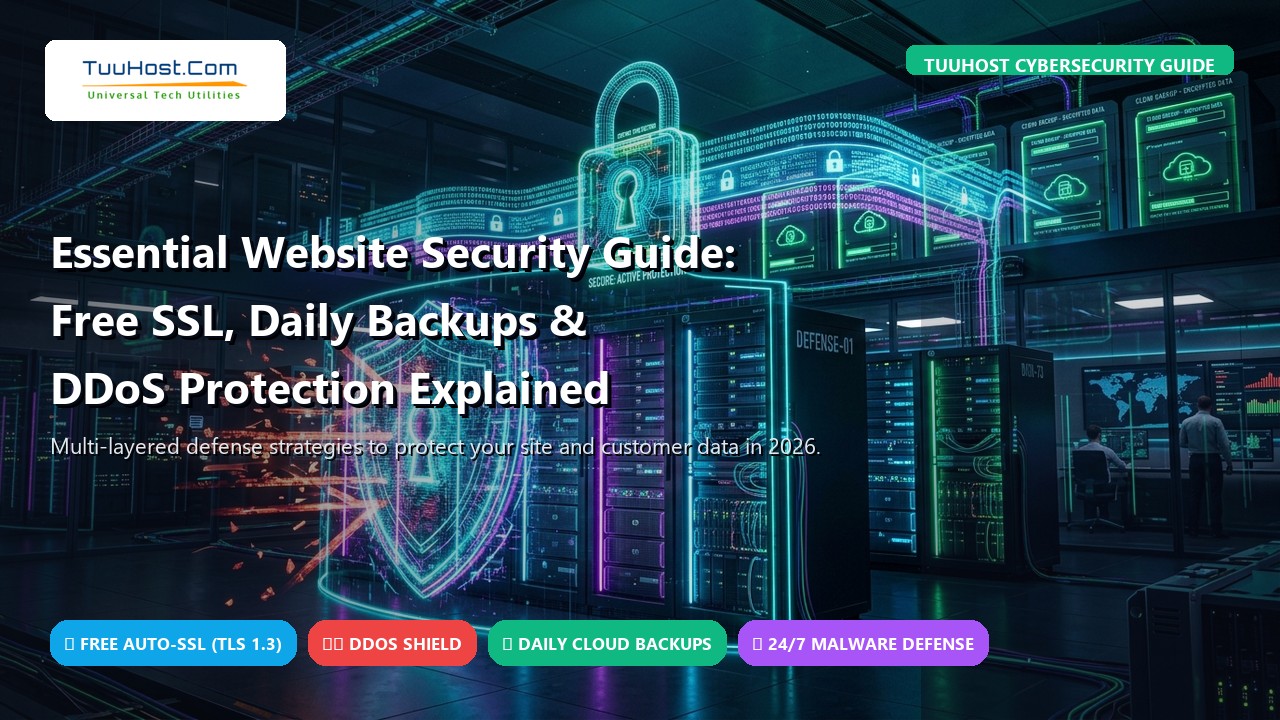
True website security does not begin with a third-party WordPress plugin—it starts at the server and hosting infrastructure tier. In this comprehensive guide, we unpack the three non-negotiable pillars of website defense: Free SSL/TLS encryption, automated daily backups, and hardware-level DDoS protection, followed by actionable server-hardening blueprints you can implement today.
📋 Table of Contents
- 1. Pillar 1: SSL/TLS Encryption & The Myth of Paid Certificates
- 2. Pillar 2: Automated Daily Backups & The 3-2-1 Strategy
- 3. Pillar 3: Enterprise DDoS Mitigation & Traffic Scrubbing
- 4. Server-Level Defense: Imunify360 & Real-Time Malware Scanning
- 5. The 10-Point Webmaster Hardening Checklist
- 6. Budget Host vs. TuuHost Fortified Security Suite
- 7. Frequently Asked Questions (FAQ)
- 8. Final Takeaways: Building an Unshakeable Digital Fortress
1. Pillar 1: SSL/TLS Encryption & The Myth of Paid Certificates
Secure Sockets Layer (SSL)—and its modern, cryptographic successor, Transport Layer Security (TLS)—is the bedrock of modern web communication. When a user accesses a website over unencrypted HTTP, all data exchanged between their browser and the server (including credit card numbers, passwords, and personal details) travels in plain text. Any malicious actor on the local network or internet routing path can intercept this via a simple “Man-in-the-Middle” (MitM) packet sniff.
TLS encrypts this connection using asymmetric public-key cryptography, converting transmitted data into an indecipherable cipher stream that can only be decrypted by the intended recipient.
Many legacy domain registrars and budget hosting companies still charge customers $50 to $120 annually for a “Standard Domain Validation (DV) SSL Certificate.” This is an outdated industry cash grab. Thanks to the non-profit Internet Security Research Group (ISRG) and automated Certificate Authorities like Let’s Encrypt and cPanel AutoSSL, standard 256-bit DV SSL certificates are completely free. Modern hosts—including TuuHost—automatically issue and renew free, industry-standard TLS 1.3 certificates for every primary domain, addon domain, and subdomain across all accounts.
Why TLS 1.3 Matters for Both Security and Performance
Not all SSL configurations are created equal. Outdated protocols (SSLv3, TLS 1.0, and TLS 1.1) have known mathematical vulnerabilities (such as POODLE and BEAST) and are actively blocked by modern web browsers. High-performance hosting environments utilize TLS 1.3, which delivers two critical advantages:
- Fortified Cryptographic Ciphers: TLS 1.3 eliminates vulnerable cryptographic algorithms, supporting only modern AEAD (Authenticated Encryption with Associated Data) ciphers like ChaCha20-Poly1305 and AES-GCM.
- Zero-Round-Trip Time Resumption (0-RTT): Previous versions required two round-trips across the network just to negotiate an encrypted handshake before transmitting the first byte of website content. TLS 1.3 executes the handshake in a single round-trip (and allows instant 0-RTT reconnection for returning visitors), reducing initial connection latency by up to 100ms.
Enforcing HTTPS & HSTS in Your .htaccess
Installing an SSL certificate is only half the battle; you must ensure that all HTTP traffic is automatically and strictly redirected to HTTPS. Add the following directives to your server’s .htaccess file to enforce HTTPS and enable HTTP Strict Transport Security (HSTS):
RewriteEngine On
RewriteCond %{HTTPS} off
RewriteRule ^(.*)$ https://%{HTTP_HOST}%{REQUEST_URI} [L,R=301]
# Enable HSTS Header (HTTP Strict Transport Security)
<IfModule mod_headers.c>
Header always set Strict-Transport-Security “max-age=31536000; includeSubDomains; preload”
</IfModule>
2. Pillar 2: Automated Daily Backups & The 3-2-1 Strategy
There are two types of webmasters: those who have experienced catastrophic data loss, and those who are about to. Whether caused by an accidental theme update that corrupts MySQL tables, a malicious ransomware injection, a rogue developer mistake, or unexpected physical hardware failure, your backups are your absolute last line of defense.
Relying on manual backups is a recipe for disaster; human beings inevitably forget to export databases before making changes. A secure hosting provider must provide automated, hands-off daily snapshots.
The 3-2-1 Backup Rule Adapted for Webmaster Operations
Enterprise IT disaster recovery adheres to the 3-2-1 Backup Rule. As a website owner, your backup architecture should mirror this principle:
- 3 Copies of Your Data: Maintain your live production website, a recent server-side snapshot, and an independent off-site archive.
- 2 Different Media Formats: Store your data on high-speed NVMe server storage and compressed object storage containers (e.g., AWS S3, Wasabi, or Google Cloud Storage).
- 1 Off-Site Location: Never store your only backup on the exact same physical server partition as your live website. If the host suffers hardware damage or an operating system freeze, both your live site and your backup file are destroyed simultaneously.
At TuuHost, every hosting account is equipped with automated point-in-time backup software. System daemons capture complete daily differential snapshots of your files, MySQL databases, email forwarders, and SSL certificates, securely dispatching them to encrypted off-site cloud storage. With a single click inside cPanel, you can instantly restore an individual table, a single corrupted file, or your entire account back to yesterday’s pristine state.
3. Pillar 3: Enterprise DDoS Mitigation & Traffic Scrubbing
A Distributed Denial of Service (DDoS) attack occurs when an attacker commands thousands of compromised internet-connected devices (IoT cameras, infected home routers, hijacked servers) to flood a target website with overwhelming traffic volumes simultaneously.
The objective is simple: consume all available network bandwidth, exhaust the server’s CPU and memory, and force the website offline, costing the business thousands in lost revenue and search engine rank penalties.
Understanding Attack Vectors: Layer 4 vs. Layer 7
Modern cyberattacks occur at different tiers of the OSI model:
- Layer 3 & 4 (Network / Transport Layer): Attacks like SYN Floods, UDP Floods, and NTP Amplification overwhelm physical network switches and bandwidth pipes with raw gigabits per second (Gbps) of garbage traffic.
- Layer 7 (Application Layer): Far more insidious, Layer 7 attacks mimic legitimate human web browsers. Botnets execute rapid HTTP
GETandPOSTrequests against resource-heavy endpoints (such as WordPress search queries or WooCommerce checkout carts), exhausting PHP workers and locking up MySQL databases without consuming massive bandwidth.
| Attack Type | Target Layer | Attack Objective | Defense Mechanism |
|---|---|---|---|
| UDP / ICMP Flood | Layer 3 (Network) | Saturate network pipeline bandwidth | Hardware Scrubbing Centers (Tbps capacity) |
| SYN Flood | Layer 4 (Transport) | Exhaust TCP connection tables | SYN Cookies & Edge Packet Filtering |
| HTTP GET / POST Flood | Layer 7 (Application) | Exhaust PHP workers & MySQL pools | LiteSpeed Anti-DDoS & Web Application Firewall (WAF) |
Standard budget hosting servers crumble under even minor 5 Gbps DDoS surges. TuuHost servers are shielded by multi-terabit edge scrubbing appliances. Malicious traffic is detected in milliseconds, diverted into automated scrubbing filters, and purged, while legitimate customer requests flow through to your website completely uninterrupted.
4. Server-Level Defense: Imunify360 & Real-Time Malware Scanning
While standard WordPress plugins like Wordfence and Sucuri offer useful application monitoring, they operate inside PHP. If a malicious attacker discovers a Zero-Day vulnerability in an outdated plugin, they can bypass WordPress entirely and inject a web shell or back door directly into the file system.
True defense-in-depth requires server-level intrusion detection. That is why enterprise hosting relies on suites like Imunify360:
- Kernel-Level Web Application Firewall (WAF): Analyzes inbound network packets before they even reach Apache or LiteSpeed, blocking SQL injections, cross-site scripting (XSS), and arbitrary file uploads on arrival.
- Proactive Behavioral Malware Engine: Unlike traditional signature-based antiviruses that only recognize known viruses, behavioral AI monitors running processes. If a PHP script attempts to spawn a bash shell or open an unauthorized socket connection to an external Russian or Chinese server, Imunify360 suspends the process instantly.
- Automated File Cleanup: In the rare event a rogue plugin file is uploaded, the scanner does not simply break your site by deleting files—it surgically cleanses the malicious code injection while keeping the valid file structure intact.
5. The 10-Point Webmaster Hardening Checklist
Even with the most fortified server infrastructure, webmasters must follow security hygiene best practices. Audit your site against this 10-point checklist:
- Disable XML-RPC: Unless you use the mobile Jetpack app, disable
xmlrpc.php. Attackers use it for brute-force password attacks and pingback amplification. AddRedirect 403 /xmlrpc.phpto.htaccess. - Enforce Two-Factor Authentication (2FA): Require 2FA (via Google Authenticator or hardware keys) for all administrator and editor accounts. This neutralizes 99.9% of credential-stuffing attacks.
- Restrict wp-login.php Access: Protect your admin login screen by restricting access to your office IP address or adding HTTP Basic Authentication.
- Eliminate the “admin” Username: Never keep default usernames. Create an administrative handle with a unique name and assign standard “Subscriber” or “Editor” roles for daily blogging.
- Secure wp-config.php Permissions: Set file permissions for
wp-config.phptochmod 600or640so other system users cannot read your database credentials. - Disable File Editing in Dashboard: Prevent attackers who compromise an admin password from injecting code into your themes or plugins. Add
define('DISALLOW_FILE_EDIT', true);towp-config.php. - Keep Core, Themes, and Plugins Updated: Over 85% of WordPress infections stem from unpatched third-party plugins. Enable automated minor version updates.
- Audit File Permissions: Ensure all directories are set to
755and all files are set to644. Never set any folder to777. - Implement Content Security Policy (CSP): Add CSP HTTP headers to prevent unauthorized external scripts, stylesheets, and fonts from executing in visitor browsers.
- Schedule Off-Site Backup Verification: Once a quarter, perform a fire-drill test: download an automated backup and restore it to a staging subdomain to guarantee archive integrity.
6. Budget Host vs. TuuHost Fortified Security Suite
Compare how generic commodity web hosts stack up against TuuHost’s enterprise security infrastructure:
| Security Feature | Generic Budget Host | TuuHost Fortified Hosting |
|---|---|---|
| SSL / TLS Encryption | Paid add-on ($60 – $120/yr) or manual setup | Free Lifetime AutoSSL (TLS 1.3 Pre-configured) |
| Backup Frequency & Storage | Weekly / Monthly (Often stored on same disk) | Daily Differential Snapshots to Offsite Cloud Vaults |
| DDoS Protection Capacity | Basic / Null-routes IP during attack | Multi-Tbps Hardware Scrubbing Centers (Zero Null-Route) |
| Tenant Isolation | Shared permissions (Noisy Neighbor risks) | CloudLinux CageFS Virtual File Isolation |
| Malware Cleanup Policy | Suspends site and demands $200+ cleanup fee | Real-time AI Quarantine & Free 1-Click Restoration |
7. Frequently Asked Questions (FAQ)
Does a free SSL certificate provide the same encryption strength as a paid certificate?
Yes, 100%. A free Let’s Encrypt or cPanel AutoSSL certificate uses the exact same 256-bit AES cryptographic encryption standards and SHA-256 signatures as commercial certificates costing hundreds of dollars. Paid certificates only offer business entity validation (Organization Validation) or financial warranties, but their technical encryption strength is completely identical.
Will a DDoS attack compromise or steal my website database?
A DDoS attack is designed to cause service disruption (downtime), not data theft. However, cybercriminals frequently use DDoS attacks as a smokescreen diversion to overwhelm your logging infrastructure while executing targeted SQL injections or brute-force breaches in the background. That is why robust hosting pairs DDoS mitigation with real-time Web Application Firewalls (WAF).
What should I do if my website has already been hacked?
First, do not panic. Avoid making random changes. If you are hosted on TuuHost, navigate to your cPanel backup portal and restore your entire directory and database to a clean backup captured prior to the infection. Change all cPanel, FTP, and WordPress administrator passwords immediately, rotate your database salt keys in wp-config.php, and update all plugins.
Why are backups stored off-site instead of on the same server?
If a server experiences physical hardware controller failure, motherboard short-circuits, or a severe OS corruption, local disks can become inaccessible. By storing encrypted daily backups in an independent off-site cloud vault, your data remains 100% safe and can be restored onto a fresh server instance in minutes.
8. Final Takeaways: Building an Unshakeable Digital Fortress
Website security is not an optional luxury or a feature you think about after a disaster strikes; it is the fundamental foundation of your digital reputation. By ensuring your website is anchored by modern TLS 1.3 encryption, shielded by enterprise edge DDoS scrubbers, and backed by automated offsite daily backups, you eliminate over 99% of common web attack vectors.
Experience Fortified Website Hosting with TuuHost
Every TuuHost hosting plan includes Free Lifetime AutoSSL (TLS 1.3), automated daily offsite cloud backups, multi-Tbps DDoS mitigation, and LiteSpeed enterprise acceleration by default. Let our experts protect your website 24/7/365.